Everything inone place.
Every line, extension, recording, AI agent + invoice — managed by you, in a single self-service portal.
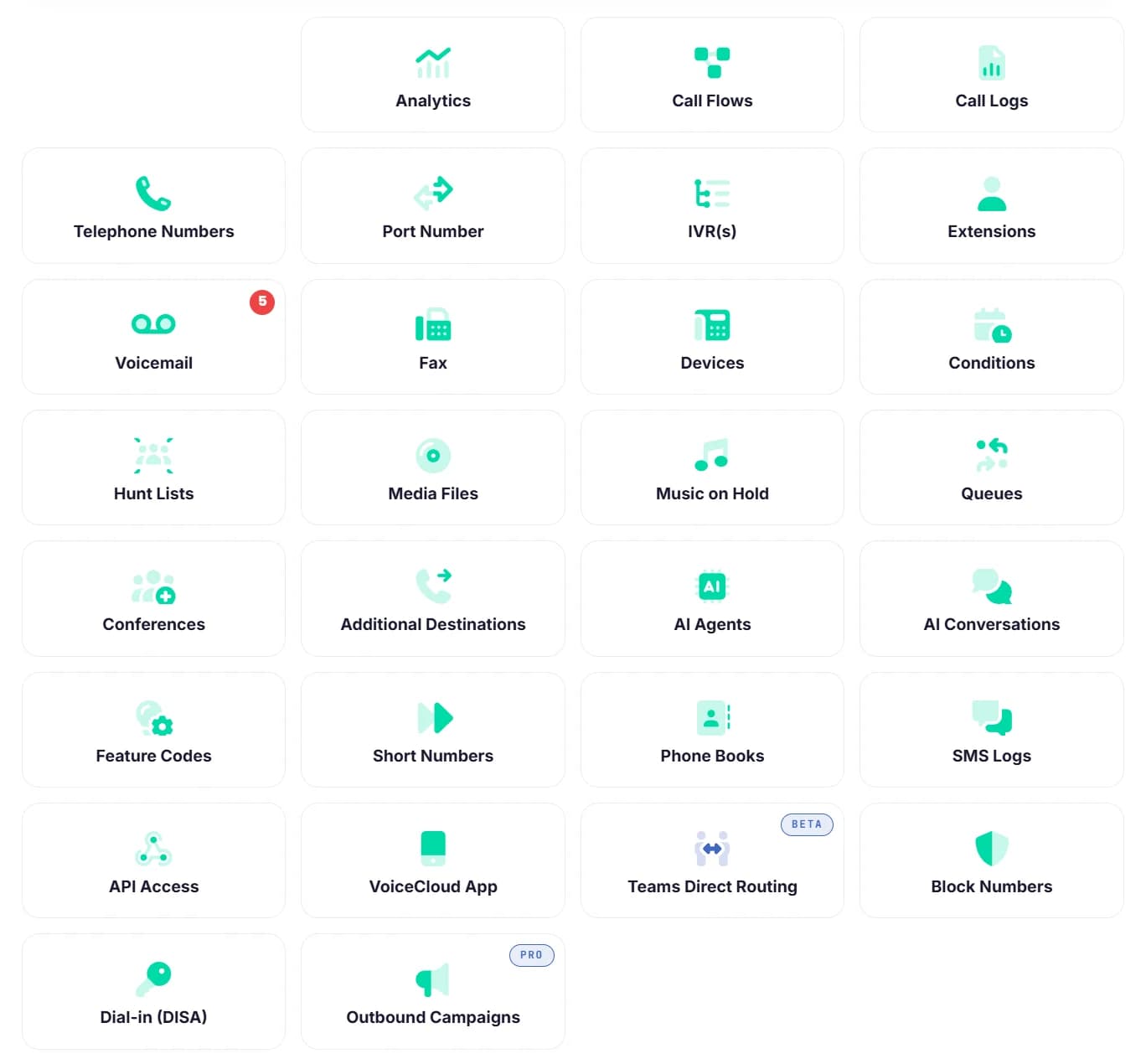
Every Giant phone-system customer gets the same panel — from a sole-trader with one number to a 200-seat contact centre. No tickets to change a greeting. No engineer call-out to add a user. No "enterprise edition" hidden behind a sales conversation.
- 30+ panels in one place
- Self-service · no tickets
- Included on every seat
- Multi-site ready
Six screens that do the boring bit for you.
Each one is a self-service replacement for what used to be a call to your reseller's account manager.
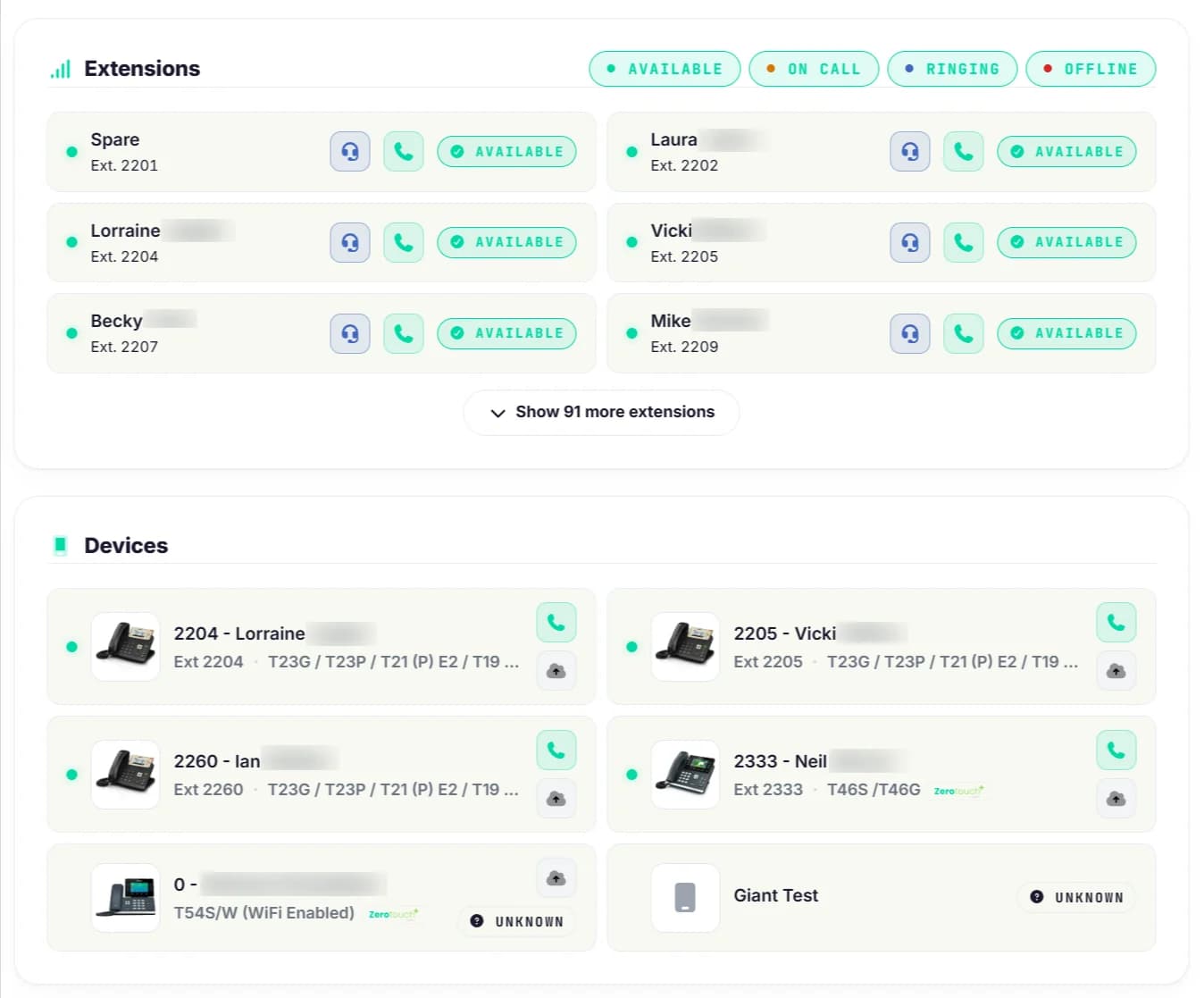
Who's free, who's on a call, who's at the door.
Open the portal and you're looking at every extension in your team — live presence, ringing state, devices currently registered. Click any name to call them, transfer to them, or check their voicemail.
- Live presence: available / on a call / ringing / offline
- Registered desk phones, mobile + desktop softphones at a glance
- Click-to-call from the portal — your handset rings first
- Do Not Disturb toggles per extension in one click
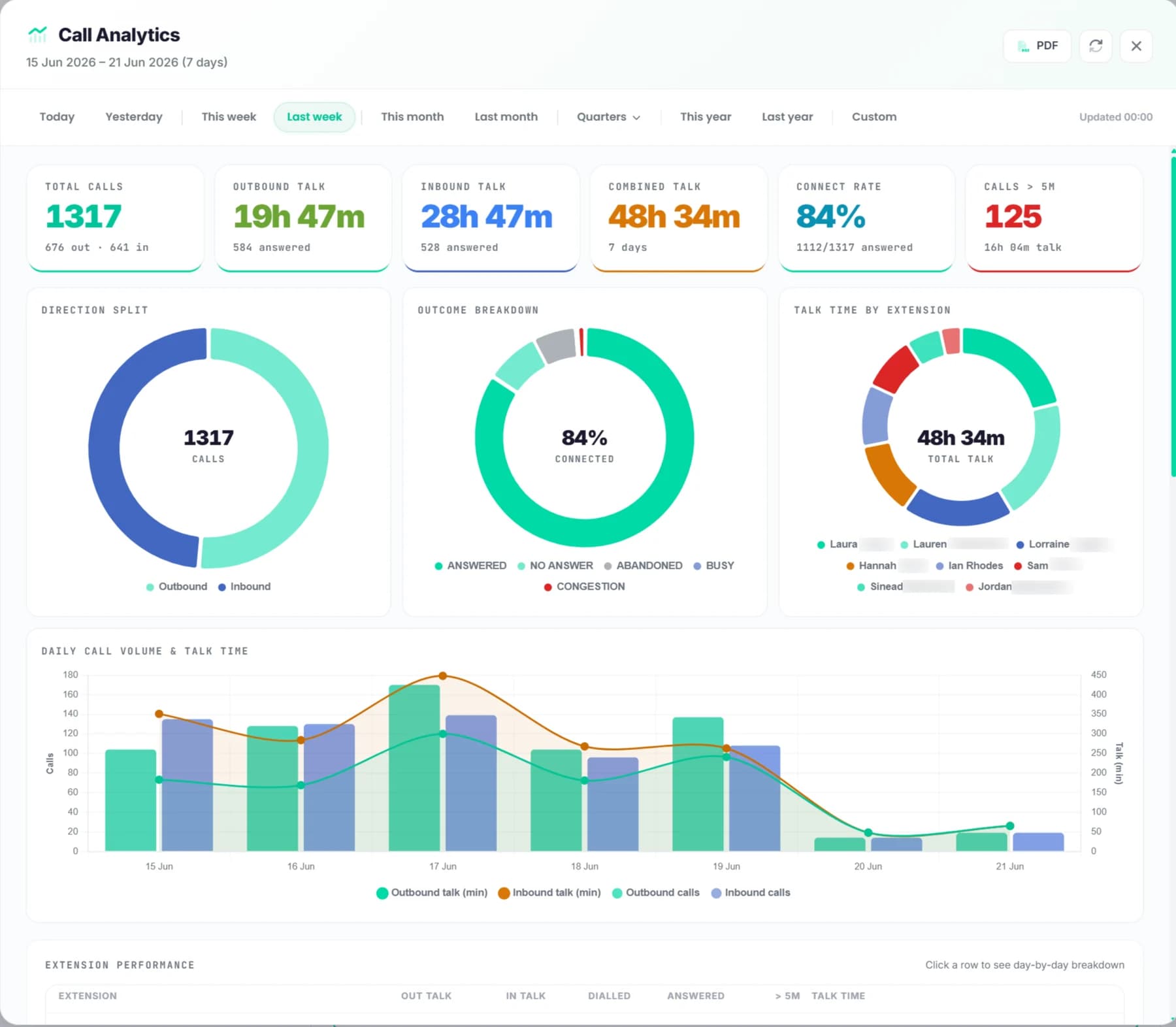
Last week's calls, in numbers.
Today's call volume, talk time, answer rate, connect rate — at a glance. Switch to last week, last month, a quarter, a custom window. Drill into per-extension performance, see when your phones are busiest by hour.
- Total calls, talk time, connect rate, calls > 5 minutes
- Direction split, outcome breakdown, talk time by extension
- Daily call-volume + talk-time chart
- Per-extension performance table, PDF + CSV export
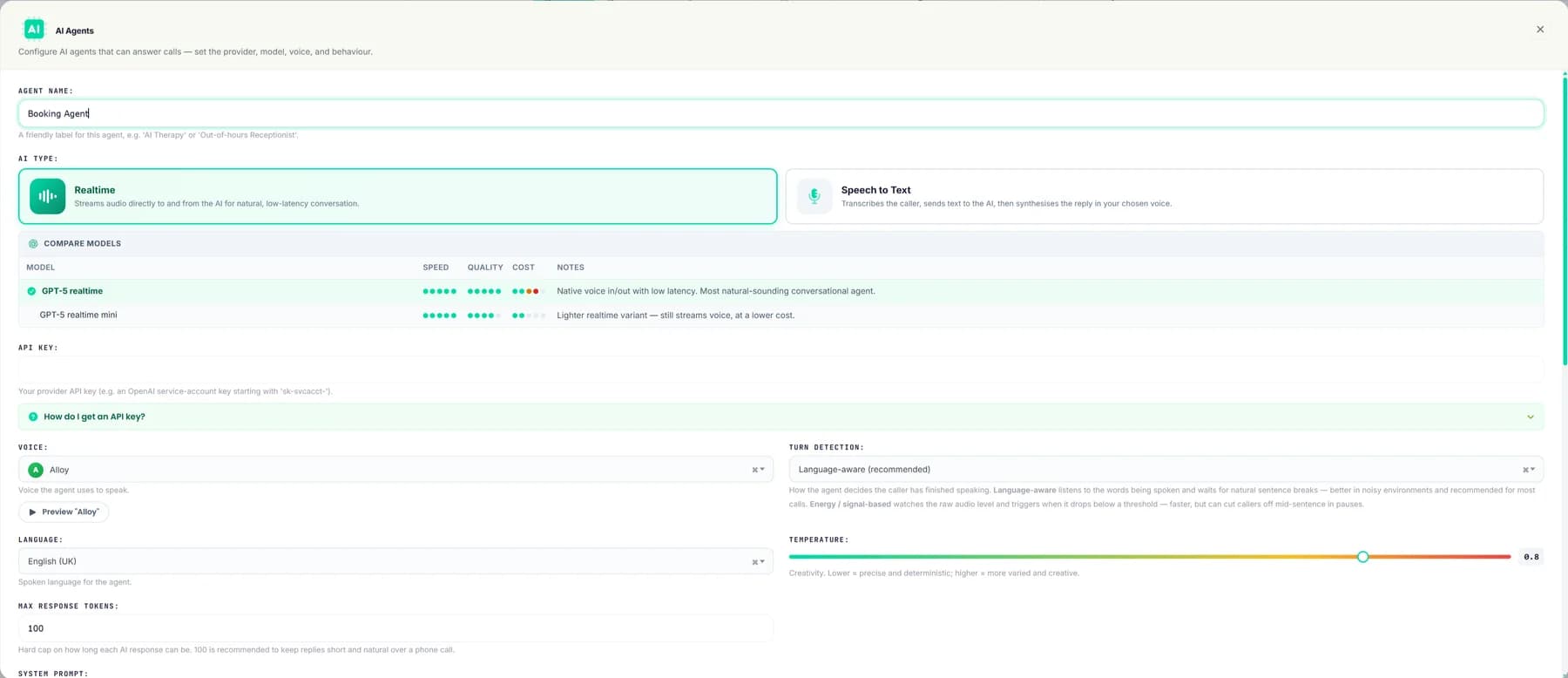
Configure an AI receptionist in minutes.
Pick a voice, pick a language, pick a model. Set the agent's personality with a system prompt, point it at the actions you want it to be able to take, and let it answer calls. Full transcript of every AI-handled call kept for review.
- Realtime or speech-to-text AI agents
- GPT-5 realtime / mini · pick by speed vs cost
- Voice library + per-agent language + tone slider
- Bring your own API key — full ownership of the AI side
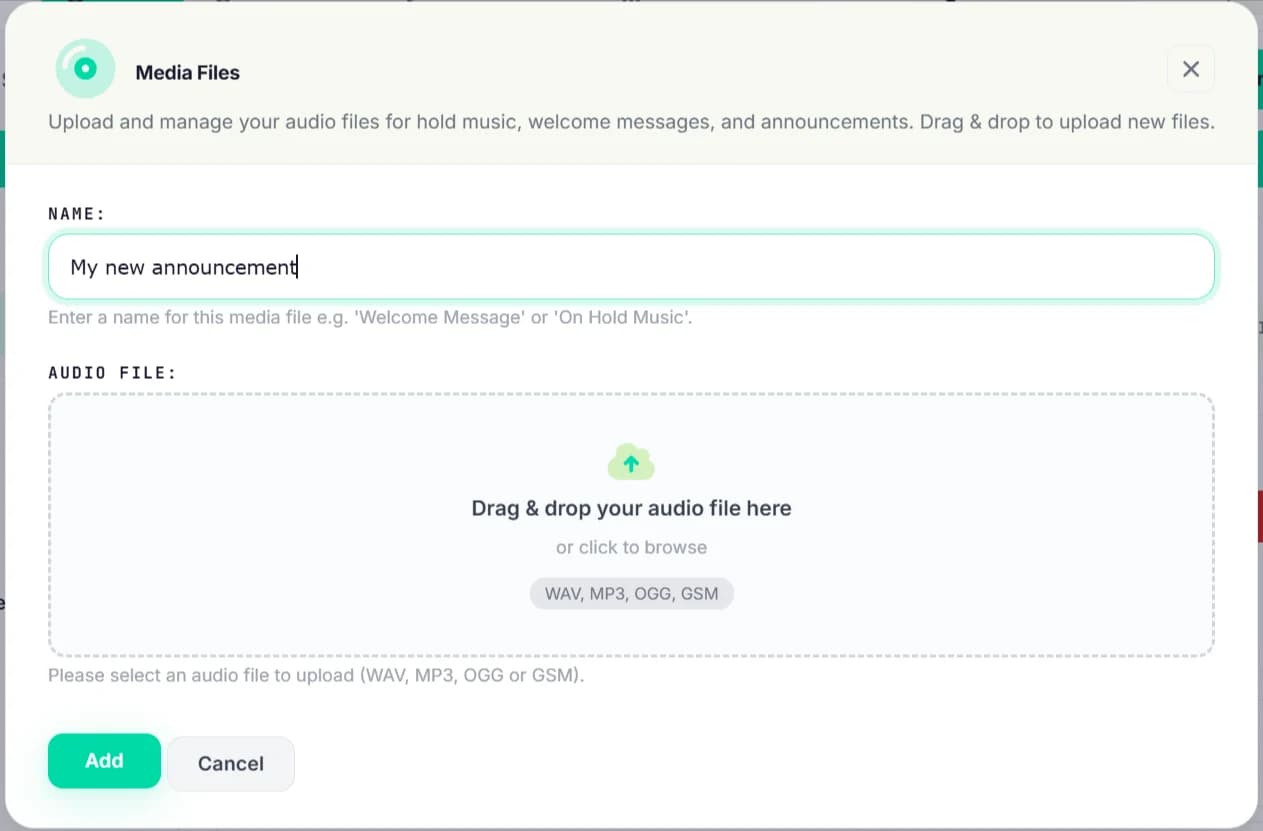
Upload anything. Drag, drop, done.
Welcome message, on-hold music, IVR announcements, voicemail greeting — upload them as WAV, MP3, OGG or GSM. Use them anywhere in your call flows. Royalty-free library included if you don't have your own.
- Drag-and-drop audio upload (WAV / MP3 / OGG / GSM)
- Per-flow, per-queue, per-IVR media assignment
- Royalty-free hold-music library included
- Swap a greeting once, every call-flow inherits it
Plug it in, it configures itself.
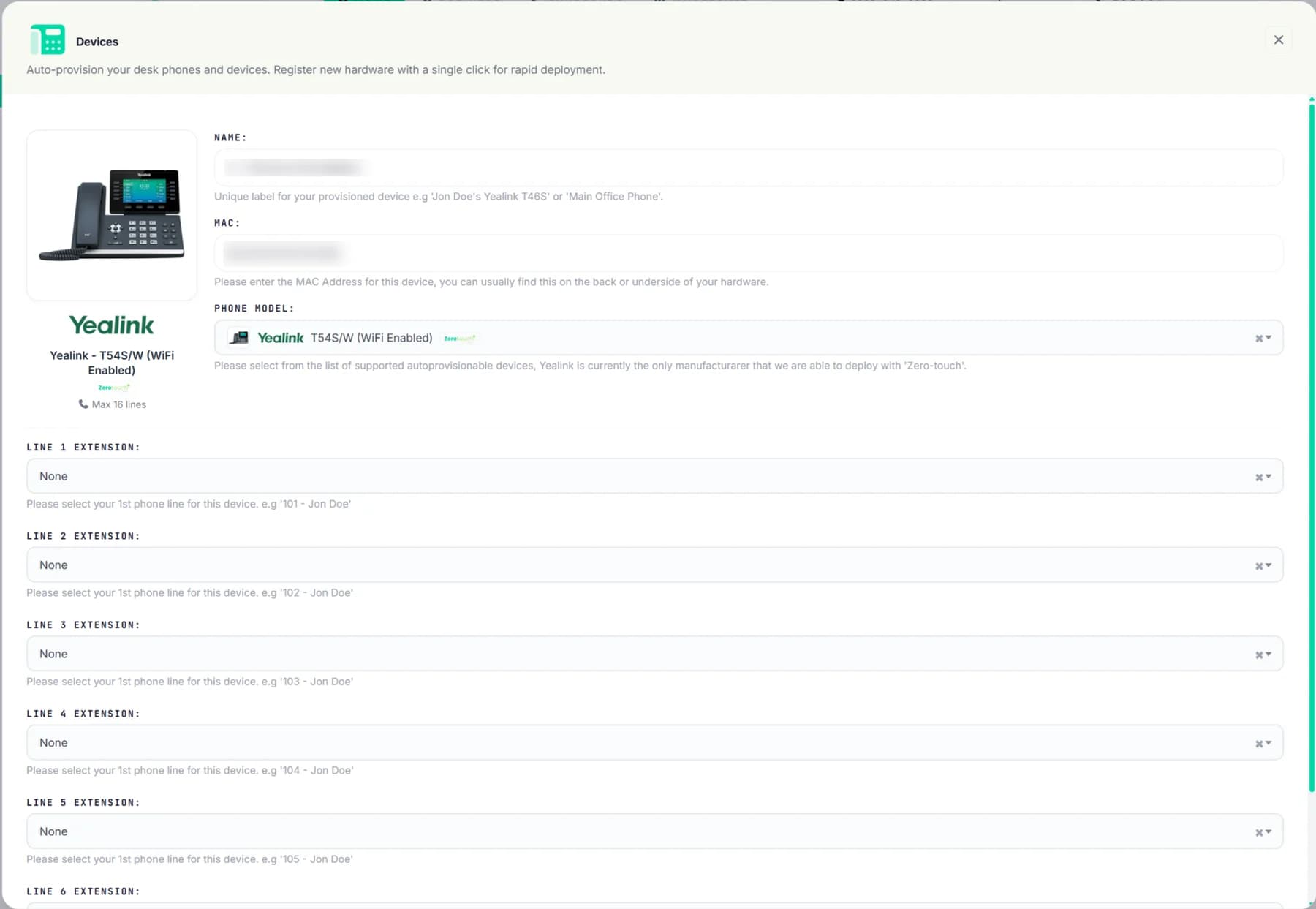
Register a new desk phone in the portal with its MAC address, pick its model + line assignments, plug it in — Zerotouch+ provisioning does the rest. No technician on-site, no manual SIP config, no firmware faff.
- MAC + model + line assignments, that's it
- Up to 16 lines per device (multi-extension hot-desking)
- Yealink lineup pre-tested + auto-provisioned
- BYO any SIP-compliant handset on a manual flow
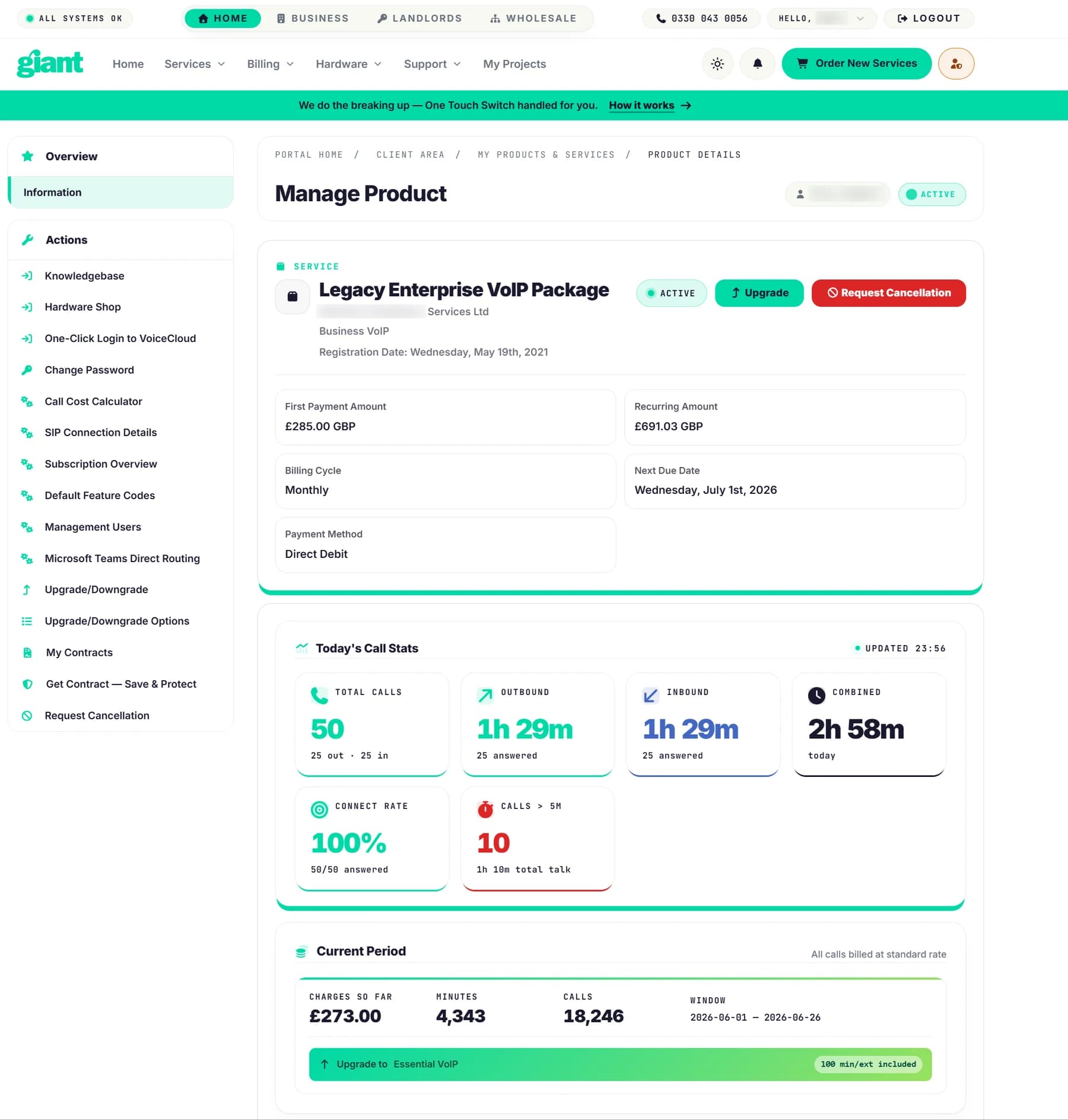
Today's calls, this month's spend, next bill date.
The product-overview page shows the service status, today's call stats live, charges accrued this billing period, and the next due date. SIP credentials, hardware shop, contracts, cancellation requests all one click away.
- Today's call stats (total, outbound, inbound, combined)
- Connect rate + calls-over-5-minutes live counters
- Current-period charges + minutes + call count
- SIP creds, hardware shop, contracts — sidebar shortcuts
Ten groups. ~60 features.
Every capability the portal exposes — pulled live from the product spec. Each group links to its dedicated deep-dive.
- Unlimited extensions — every person, device or queue gets its own
- Desk phone provisioning — Zerotouch+ does the setup
- Mobile + desktop softphone via the VoiceCloud app
- Live presence — see who's available, on a call, ringing, offline
- Click-to-call from the portal — handset rings first, then connects
- Do Not Disturb toggle per extension
- Visual drag-and-drop Call Flow Builder — walk a call, spot dead ends, fix five kinds of fault [beta]
- IVR auto-attendant — as many menu layers as you need
- Business-hours, day-of-week + UK bank-holiday routing
- Ring groups + hunt lists (parallel, sequential, round-robin)
- Call queues with music + position announcements
- Conference rooms, call forwarding, DISA dial-in, feature codes
- UK geographic, non-geographic, mobile numbers — added on demand
- Keep your existing numbers — guided porting wizard with live checks
- Per-extension caller ID — choose what each user presents
- Emergency 999 registration with clear status indicator per number
- Voicemail-to-email — messages straight to your inbox as audio
- Voicemail transcription — read messages without listening
- Two-way Business SMS on Giant mobile numbers (port or new)
- Fan inbound SMS out to multiple extensions or a shared inbox
- Per-number email notification the moment an SMS lands
- REST API + webhooks — push inbound SMS straight into your CRM
- Inbound + outbound fax via the portal or email
- Shared phone books — company directories synced to desk phones
- Inbound + outbound recording per number, in-portal playback
- AI transcription on every recorded call (searchable, speaker-attributed)
- Transcript search across any date range — find by what was said
- Call tagging + notes — won / lost / missed / callback / spam
- AI voice agents — natural-language receptionist that routes calls
- Full transcripts of every AI-handled call
- Outbound campaigns — automated dialling for reminders / surveys (Pro)
- Live call dashboard — today's volume, talk time, answer rate
- Trends over time — volume + talk-time charts across your billing period
- Team leaderboard — performance by extension
- Hourly distribution — see when phones are busiest
- PDF + CSV exports for board-ready summaries
- Estate overview — every site's numbers, extensions, usage + spend
- Spend insights — spot cost spikes + your busiest, highest-spend days
- Optimisation suggestions — automatic flags for over / under-provisioned sites
- One-click full-estate CSV + executive PDF exports
- Pooled inclusive minutes — shared across the team, never locked per phone
- Live usage tracking — minutes used / remaining, by destination
- Over-allowance warnings before + at the moment you exceed
- Pay-as-you-go visibility — live current-period charges + call count
- Auto upgrade recommendations when you're regularly near your cap
- Manage every feature above yourself — no tickets, no waiting
- Guided onboarding tour for new users
- Caller name (CNAM) lookup — show who's calling, not just the number
- Caller-ID blacklist — block nuisance numbers organisation-wide
- Microsoft Teams direct routing — your business calls through Teams (Beta)
- API access — self-serve keys for your CRM + bespoke integrations
Core phone system
Smart call routing
Numbers + porting
Voicemail + messaging
Call recording + transcription
AI + automation
Analytics + reporting
Multi-site + estate management
Transparent billing + inclusive minutes
Self-service + integrations
One portal. Solo trader to 200-seat estate.
A note on tiering
Outbound Campaigns (Pro) and Microsoft Teams Direct Routing (Beta) are configurable add-ons — they default to off in the product config. If your plan needs them included, mention it when you order and we'll enable them at activation.
Same panel. Every customer.
From a sole-trader with one number to a 200-seat contact centre — same portal, same self-service, same set of features. No tier-gating, no enterprise upsell.