
 B2B · The VoiceCloud app
Your business number,in your pocket.
Same dial-plan engine, same call quality, same number — on the device that's already in your hand. Free with every VoiceCloud seat.




- 4 platforms · 1 dial-plan
- Free on every seat
- QR-code setup · ~60s
- Any SIP softphone works
↳ Already use Zoiper / Bria / MicroSIP? Skip to bring-your-own


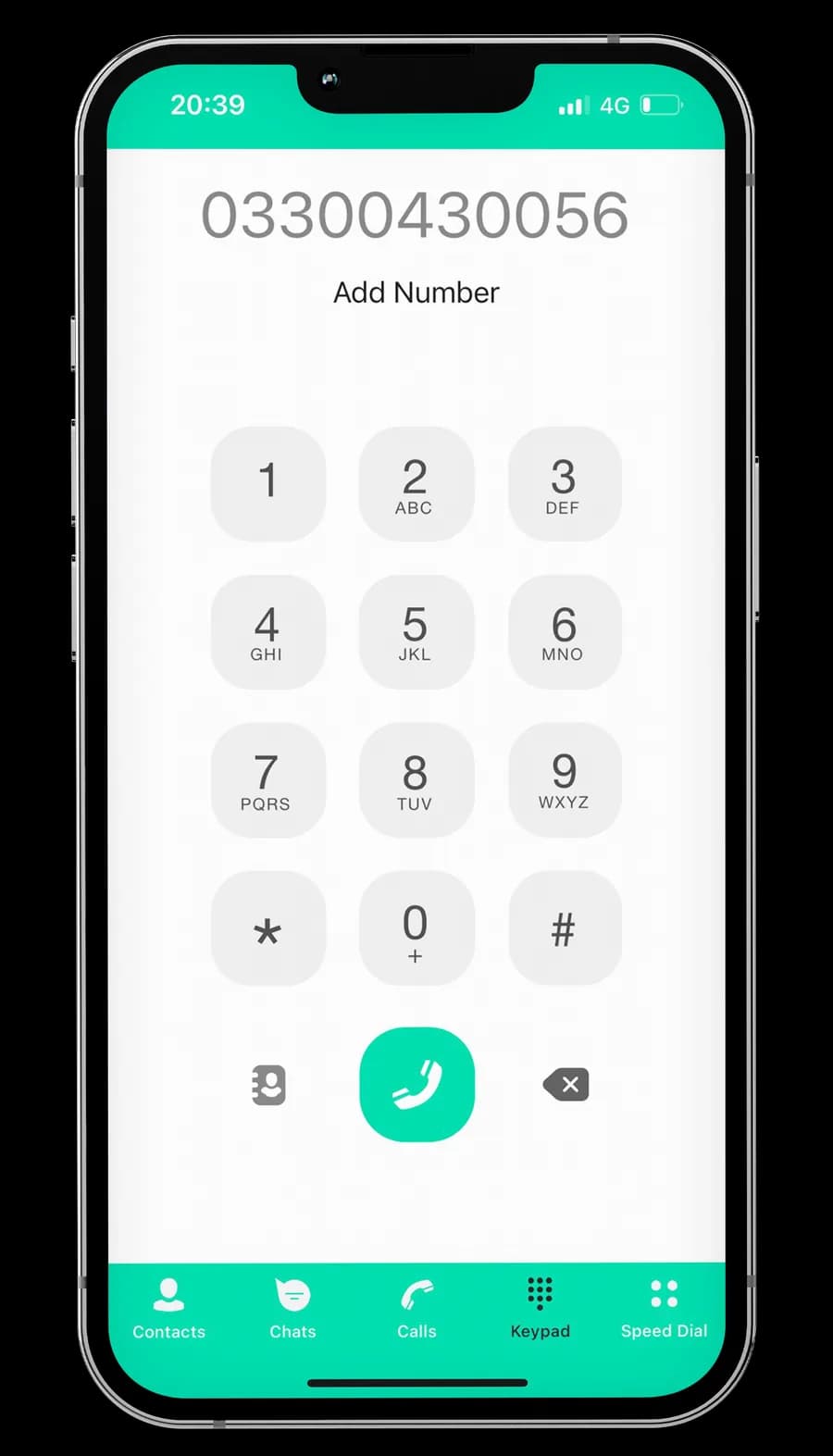
Push-notified calls on the phone already in your hand.
The mobile app is what gets phones in everyone's pocket without buying everyone a desk handset. Push-notified incoming calls, background SIP, biometric unlock to answer, voicemail in the app.
Push-notified incoming
Calls arrive as iOS / Android push notifications — the app doesn't have to be open. Answer from the lock screen.
Network-aware codec
HD audio (Opus 16k) on Wi-Fi or 5G; transparent fallback to a narrower codec on patchy mobile data — call stays up.
Address-book sync
With permission, reads your phone's contacts so caller-ID resolves to names — both in dial history and the incoming-call screen.
Visual voicemail
Voicemails appear in the app with the transcript and a play button. Listen, read, delete — same as iMessage threads.
Biometric unlock
Face ID / fingerprint to answer secure-flagged calls so the line never opens on a phone in a pocket or on a desk.
Do-not-disturb honoured
Respects your phone's Focus / DND state so out-of-hours doesn't ring. Per-extension on-call schedules override when you're rota'd in.
macOS & Windows for the people who live at the keyboard.
Pairs with a USB headset for clean calls. Click-to-dial from your CRM. System-wide hotkeys for mute / hold / pick-up. Multi-account so you can answer for two brands without two laptops.
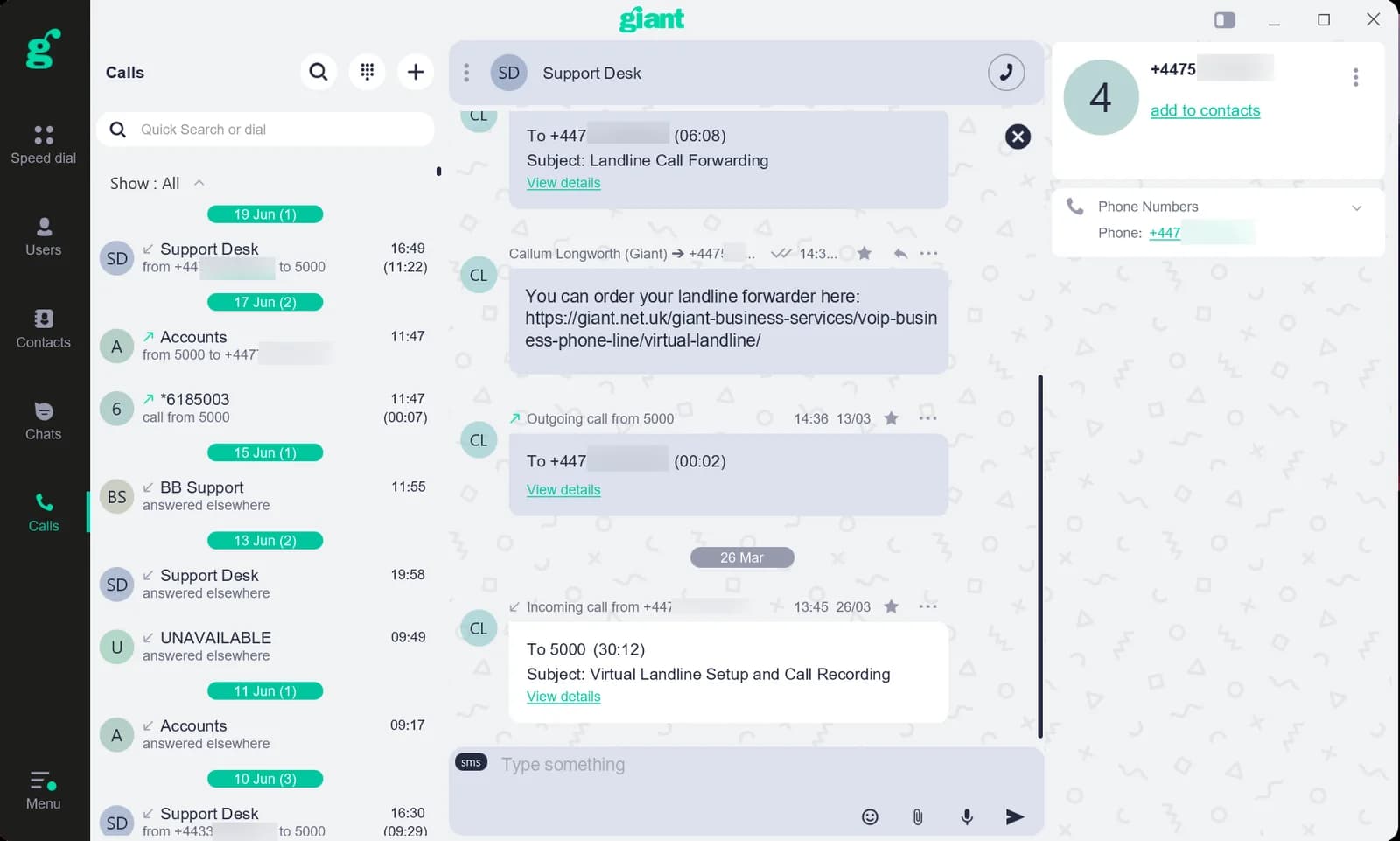
Same UI on macOS & Windows · system-native menus on each
USB headset auto-pair
Jabra, Poly, Logitech — anything CTI-compliant. Headset's hook button picks up calls. Mute LED reflects call state.
Global hotkeys
Cmd/Ctrl-Shift-A to answer, M to mute, H to hold — even when another app has focus. Configurable per-user.
Click-to-dial from CRM
HubSpot / Salesforce / Zendesk: phone numbers in the CRM become clickable. Inbound calls pop the matching CRM record.
Native Mac + Win polish
Dock badge for missed calls on macOS, Action Center for Windows. Respects system dark/light + Reduce Motion.
Focus-aware
Pauses ringing on Do Not Disturb, mutes the app's badge while you're on a Zoom or Teams call, restores on hangup.
Multi-account
Register multiple extensions in one app and switch caller-ID per outbound call — answer for two brands without two laptops.
Three steps. No paperwork.
Adding a teammate to VoiceCloud is faster than provisioning their email. Email a QR, they scan it, the app is live with their extension and dial-plan.
Add the extension
Portal → VoiceCloud → +Add extension. Type their name, pick the dial-plan. ~10 seconds.
Email the QR
Portal generates a QR code containing the SIP credentials. Email it to the teammate from inside the portal — no copy-paste.
They scan, they're live
VoiceCloud app on their phone scans the QR. Extension auto-registers. Test call inbound — first dial-tone within the minute.
Don't want our app?
Bring your own.
VoiceCloud is plain SIP. Any softphone that speaks SIP registers against your extension — Zoiper, Bria, MicroSIP, Linphone, Acrobits, anything. Same dial-plan, same number, same calls. You're not locked into our app.
Grab the SIP credentials from portal.giant.net.uk → Services → VoiceCloud → Extension. Credentials are view-only (you can't reset them — they're tied to the line for life of service). Drop them into your softphone's account setup and you're live.
- ZoiperiOS · Android · macOS · Windows · Linux
Most-tested third-party choice. Free tier handles single-line.
- Bria (Counterpath)iOS · Android · macOS · Windows
Paid. Heavier feature set if you want video + presence.
- MicroSIPWindows
Lightweight, open-source. Popular with techies and call-centres on tight budgets.
- LinphoneiOS · Android · macOS · Windows · Linux
Open-source. Reliable. UI is utilitarian.
- TwinkleLinux
Old-school KDE softphone. Still works.
- AcrobitsiOS · Android
Premium mobile-only. Strong push-notification support.
Any RFC-3261 SIP UA works · these are just the ones we test against









Mobile or desktop? Both, probably.
Most users run both. Mobile catches you when you're out; desktop runs alongside your CRM. Same dial-plan engine, calls ring everywhere your extension is registered.
Mobile
Best for: You're out of the office, working hybrid, or sales-floor mobile.
- Push-notified incoming
- Address-book sync
- Visual voicemail with transcript
- HD audio when network supports
- Biometric unlock
- Honours OS DND / Focus
Desktop
Best for: You're at a desk most of the day, take many calls, run a CRM alongside.
- USB headset auto-pair
- Global hotkeys
- Click-to-dial from CRM
- CRM record popup on inbound
- Multi-account caller-ID switching
- Dock / system-tray badge