Two routers.Right one arrives.
Zyxel DX3301 for lines up to 1 Gbps. Zyxel EE5301 with 10G WAN + Wi-Fi 7 for anything above 1 Gbps. Pre-configured, plug-and-boot, yours to keep.
We ship one router per line — the one that actually matches your speed tier. No rental fee, no cross-tier upsell, no random no-name box. Full spec sheets below.
The right one for your line.
No 'good / better / best' upsell. Your tier at order dictates which router ships — the DX3301 handles everything a gigabit line can throw at it, the EE5301 is genuinely needed the moment the line goes faster than 1 Gbps (a gigabit-WAN router would bottleneck a 1.8 G line at the port).
You get the DX3301
Wi-Fi 6 dual-band, gigabit WAN + 4× gigabit LAN. The right router for FTTC, SoGEA, and every FTTP plan up to and including 1 Gbps symmetric. Ships on every tier from our 40 Mbps entry all the way up to 1 Gbps.
You get the EE5301
Wi-Fi 7 tri-band, 10 Gbps WAN, 2× 2.5G LAN. Needed to actually deliver above-gigabit speeds end-to-end — a gigabit router would bottleneck a 1.8 G or 8 G line at the WAN port before anything even hit Wi-Fi.
Router rental fees. It's yours from day one.
No monthly kit charge, no return-to-sender at end of contract. If you upgrade tier later, the newer router ships at cost.
Zyxel DX3301.
The default router for every Giant full-fibre plan up to 1 Gbps. Solid consumer-tier Wi-Fi 6 kit with everything a home or small office actually uses — no marketing gloss over missing features.
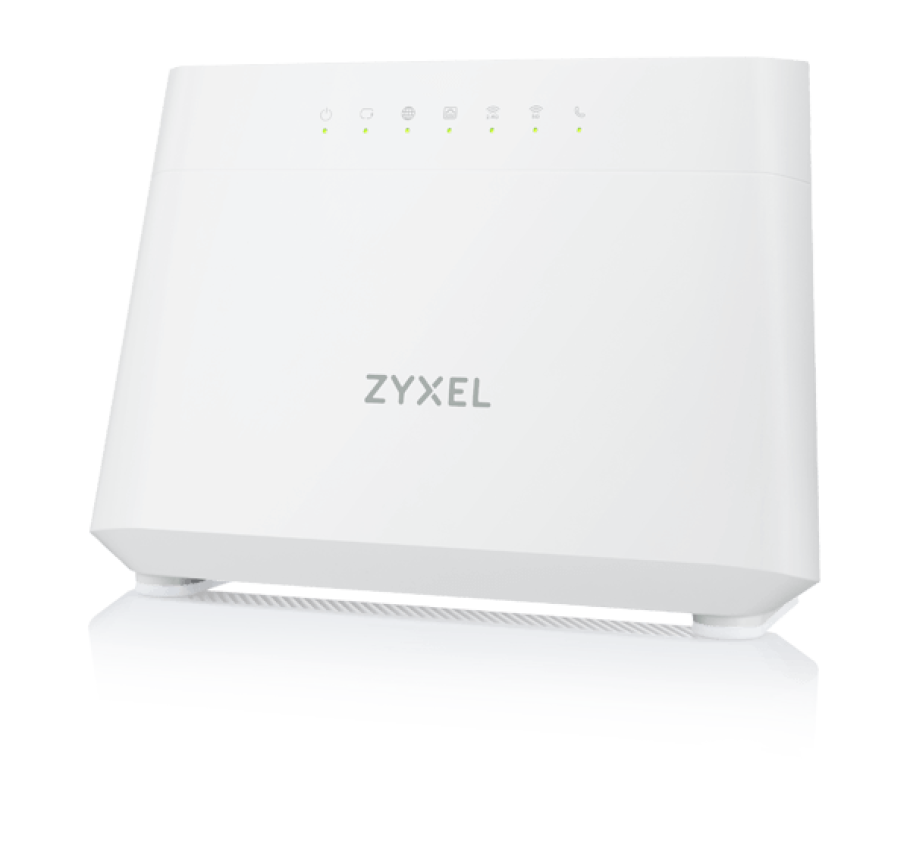
What you're getting
An AX3000-class Wi-Fi 6 dual-band router with the ports and features a real household actually uses. No dumbed-down ISP firmware — this is Zyxel's production kit, running Zyxel's own admin panel. If you know your way around a router you'll feel at home.
- Wi-Fi 6 (802.11ax) dual-band 2.4 + 5 GHz · AX3000 class
- 1× Gigabit WAN + 4× Gigabit LAN ports
- FXS port (RJ11) for a plain analogue home phone
- WPA3, guest network, per-device access control
- Native dual-stack IPv6 (public /56 prefix)
- Pre-provisioned to your line — plug-and-boot
Zyxel's a proper networking vendor (not a rebranded no-name box). The DX3301 runs Zyxel's actual admin panel, gets proper firmware updates, and doesn't lock the FXS port behind a paywall. It costs us more than the cheapest ISP router — that's the trade-off you're not paying for.
Zyxel EE5301.
Premium tri-band Wi-Fi 7 kit with a real 10 Gbps WAN port — the only way to actually deliver an 8 Gbps line to your devices without bottlenecking at the router. Ships on every plan above 1 Gbps (1.8 G Netomnia, multi-gig FTTP, business symmetric) and on every leased line.
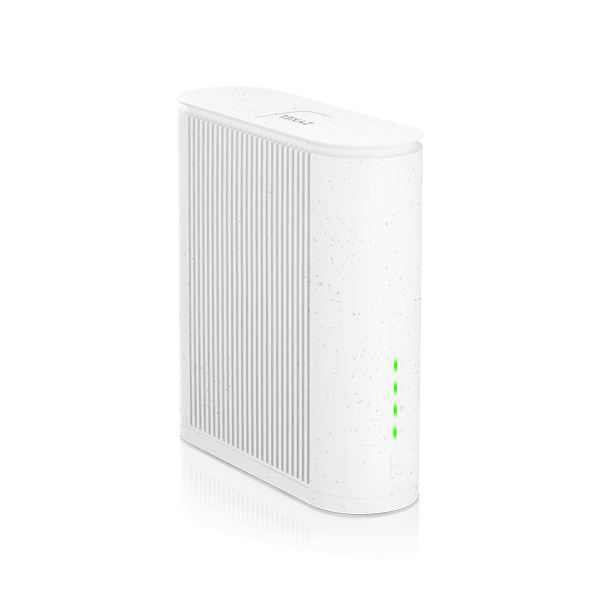
Built for multi-gig
A BE22000-class Wi-Fi 7 tri-band router with a 10 Gbps WAN and 2.5 G LAN ports. The 6 GHz band and MLO (Multi-Link Operation) means peak throughput to a Wi-Fi 7 device can approach the 8 G line rate — no more gigabit-router bottleneck killing your fastest plans at the LAN port.
- Wi-Fi 7 (802.11be) tri-band 2.4 + 5 + 6 GHz · BE22000 class
- 1× 10 Gbps WAN — pairs with our 2.5 G / 8 G tiers end-to-end
- 2× 2.5 Gbps LAN + 2× Gigabit LAN
- FXS port (RJ11) for a plain analogue home phone
- MLO + 4K-QAM + 320 MHz channels for peak throughput
- Recycled-polycarbonate casing (see /sustainability)
The EE5301's casing is recycled polycarbonate. It doesn't move the needle on your carbon footprint by itself — we mention it because the router outlives most of the other kit in your house, so the material choice matters more than for a phone case.
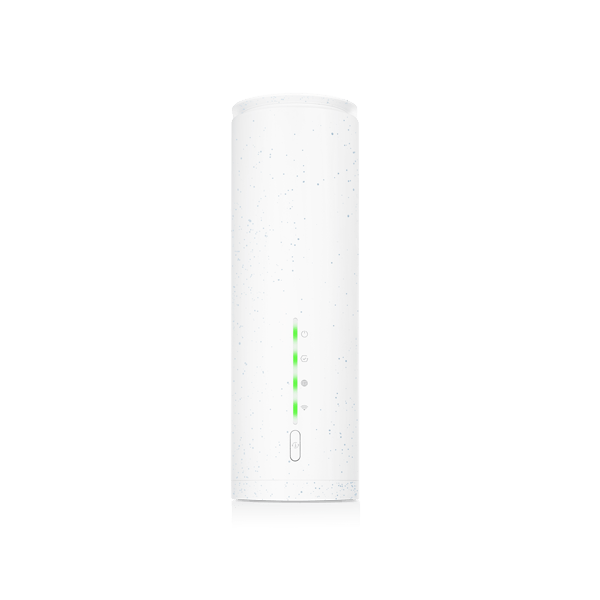
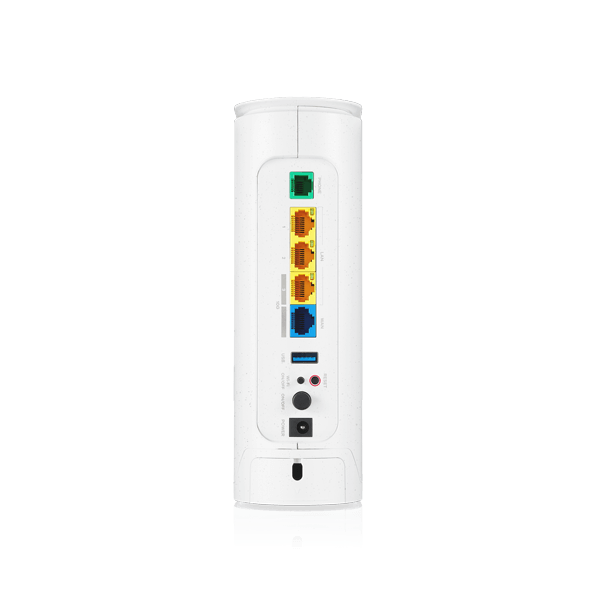
Full spec comparison.
Everything that differs. Both routers share the same Zyxel admin panel, both come pre-configured, both have an FXS port, both stay yours after install — the differences are all in the pipes.
| Spec | DX3301 | EE5301 |
|---|---|---|
| Wireless standard | Wi-Fi 6 (802.11ax) | Wi-Fi 7 (802.11be) |
| Wireless bands | Dual-band · 2.4 GHz + 5 GHz | Tri-band · 2.4 + 5 + 6 GHz |
| Wireless class | AX3000 | BE22000 |
| WAN port | 1 × Gigabit Ethernet | 1 × 10 Gbps Ethernet |
| LAN ports | 4 × Gigabit Ethernet | 2 × 2.5 Gbps + 2 × Gigabit |
| USB | 1 × USB 2.0 | 1 × USB 3.0 |
| Voice (FXS / RJ11) | 1 × FXS port for home phone | 1 × FXS port for home phone |
| Mesh + roaming | 802.11k/v/r · mesh-ready | 802.11k/v/r · mesh-ready · MLO |
| Security | WPA3 · guest network | WPA3 · guest network · isolated IoT SSID |
| IPv6 | Native dual-stack | Native dual-stack |
| Casing | White polycarbonate | Recycled polycarbonate (eco casing) |
| Included with | Every full-fibre plan up to 1 Gbps | Every plan above 1 Gbps + all leased lines |
In the box, on your desk, on your line.
Zero-touch provisioning means the router shows up with your line credentials already loaded. You plug in two cables and wait a minute.
In the box
Router, UK plug PSU, WAN Ethernet cable, quick-start card with your Wi-Fi name + password printed on it.
Two cables
Power in the wall, WAN cable from the router's WAN port to your fibre ONT (the little Openreach / altnet box). That's it.
60 seconds to live
The router boots, pulls its pre-loaded PPPoE credentials, connects. Status LED turns green when the line's up.
Change the Wi-Fi name
Optional — the default SSID + password on the card work fine. Log into 192.168.1.1 to rename, split bands, set guest SSIDs, port-forward.
Got a router you love? Plug it in.
We don't lock the line to our kit. UniFi, MikroTik, ASUS, FRITZ!Box, pfSense, OPNsense, an Openreach Smart Hub you already have — bring anything that speaks PPPoE. Your credentials live in the portal for the life of the line (view-only — tied to the line, can't be rotated).
Router questions, answered honestly.
Ready to plug in?
Postcode-check confirms your line speed, we ship the matching router. Live within 10 – 20 working days depending on which network lights your address.
No coverage yet? Mid-contract elsewhere? Join the waitlist or set a contract-end reminder — we'll ping you when it's the right moment to switch.