A 900 Mbps package can look like the obvious winner. Then you realise you mainly browse, stream one programme at a time and work from a laptop. Meanwhile, a household with four gamers, two video callers and a pile of smart devices may find 150 Mbps starts to feel tight. Knowing how to compare fibre speeds means matching the connection to real life, not simply buying the biggest number on the page.
The good news: it is less complicated than some providers would like you to believe. Look beyond headline download speed, check the upload, consider latency and Wi-Fi, then read the price and contract terms with both eyes open.
Start with what the speed number actually means
Broadband speeds are usually shown in Mbps or Gbps. Mbps means megabits per second; 1 Gbps equals 1,000 Mbps. It measures how much data your connection can move each second. Higher figures give your household more capacity to do several demanding things at once.
That does not mean a 1 Gbps connection makes every website load ten times faster than a 100 Mbps service. Many websites, apps and video services have their own limits. The difference appears when the connection is shared, when large files are involved, or when somebody starts a huge game download just as a video meeting begins.
A useful way to compare packages is to separate the three measures that shape day-to-day performance:
| Measure | What it affects | What to look for | |—|—|—| | Download speed | Streaming, browsing, game downloads and software updates | Enough capacity for everyone using the connection at once | | Upload speed | Video calls, cloud backups, sending files and livestreaming | Higher upload if anyone works, creates or games online seriously | | Latency (ping) | Responsiveness in gaming, calls and remote access | Lower and more consistent is better |
Do not confuse broadband speed with mobile signal bars or Wi-Fi bars. They are related, but they are not the same thing. A fast fibre line can still be held back by weak Wi-Fi in a back bedroom.
How to compare fibre speeds: download versus upload
Most people begin with download speed, and that is fair enough. It covers the obvious jobs: watching 4K television, downloading games, scrolling social media and updating devices. As a rough guide, one 4K stream generally needs around 25 Mbps, while HD needs far less. The pressure builds when several people are doing different things at once.
Upload deserves equal attention. It is the speed from your home to the internet. If you send large design files, back up photos, join video calls all day, upload content or play games while voice-chatting, upload speed is not a footnote. It can decide whether the connection feels polished or painfully one-sided.
This is where full fibre often has a clear advantage. Many full-fibre services offer symmetric speeds, meaning the upload speed matches the download speed. A 500 Mbps symmetric package gives you 500 Mbps down and 500 Mbps up, rather than 500 Mbps down paired with a much smaller upload allowance.
Symmetric service is not essential for every home. If your main use is streaming and browsing, a lower upload figure may be perfectly fine. But for home workers, creatives, busy families and small businesses, it is worth putting near the top of the comparison.
Compare the technology, not just the packaging
The word “fibre” is used rather freely. What matters is whether fibre reaches your property or only gets part of the way there.
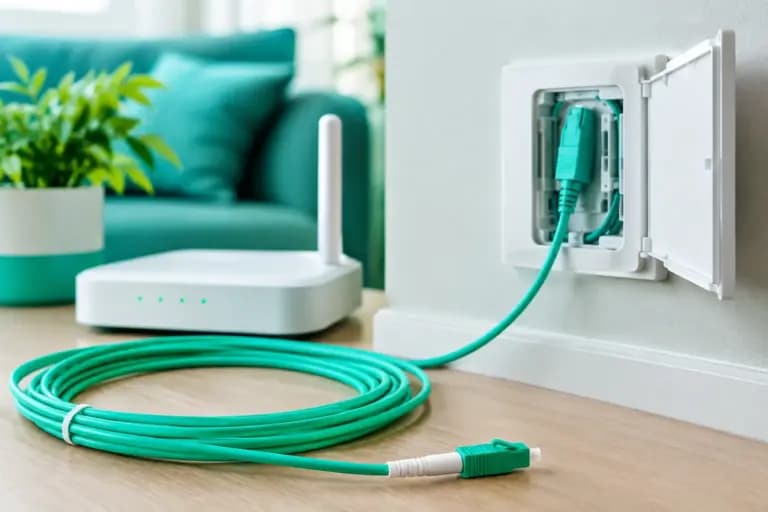
Full fibre, also called FTTP or Fibre to the Premises, runs fibre optic cable directly to your home or business. It is built for high speeds and typically offers stronger reliability and upload potential than older copper-based services. Part-fibre connections can still use copper for the final stretch from the street cabinet, which may limit available speeds and make performance more dependent on distance.
Ask two simple questions before comparing packages: what network serves your address, and is the service full fibre all the way to the premises? Your postcode result matters more than a national advert promising eye-watering speeds.
Also check whether the quoted speed is an estimated range for your specific address, a typical speed, or an “up to” maximum. Full fibre tends to deliver more predictable results than copper, but a provider should still be clear about what you can reasonably expect where you live.
Choose speed for the busiest hour, not a quiet Tuesday morning
The right package is based on concurrent use: what happens when everyone is online at once. Think about the busiest evening in your home, not the one person checking email before breakfast.
| Household use | A sensible starting point | When to move higher | |—|—:|—| | Light browsing, email and HD streaming | 50-100 Mbps | Multiple simultaneous streams or frequent downloads | | Typical family use, home working and 4K | 150-300 Mbps | Several users game, download or video call together | | Heavy streaming, gaming and large downloads | 500 Mbps | You want plenty of headroom and quicker big-file transfers | | Serious creators, power users or connected homes | 900 Mbps to 1 Gbps+ | Large uploads, multiple gamers, servers or demanding shared use |
These are starting points, not commandments carved into a router. A couple in a small flat may be delighted with 100 Mbps. A house share with five people, each treating the internet as a utility rather than a luxury, may need 500 Mbps or more. The point is to buy headroom without paying for bragging rights you will never use.
For businesses, add up cloud applications, VoIP calls, off-site backups, CCTV, guest Wi-Fi and the number of staff using video meetings at the same time. A low-cost connection that stalls during a client call is not low cost for long. Upload, latency, service support and any need for a dedicated leased line should all enter the calculation.
A faster package cannot fix poor Wi-Fi
If your speed test beside the router is excellent but the loft room struggles, the broadband line may not be the culprit. Wi-Fi loses strength through thick walls, floors, appliances and distance. Older devices can also limit the speed they can receive.
Test with a modern device connected by Ethernet directly to the router first. That gives you the clearest view of the line itself. Then test over Wi-Fi where you actually work, game or stream. If there is a big gap, look at router placement, mesh Wi-Fi, wired access points or Ethernet for fixed devices such as consoles and desktop PCs.
Avoid hiding the router in a cupboard or tucking it behind the television. Put it as centrally and openly as practical. It is not interior design perfection, but it is usually better for your connection.
Check latency, reliability and support before signing
Raw Mbps is only one part of a good connection. Latency is the delay between sending data and receiving a response. It matters most in competitive gaming, video calls, virtual private networks and cloud-based work. Low latency feels responsive; unstable latency creates lag, crackly calls and that frozen-face moment nobody enjoys.
Ask whether the service is full fibre, whether the provider publishes realistic address-level estimates, and what happens if something goes wrong. A cheap deal is less charming when getting help means spending half a day explaining your postcode to a script.
Support is particularly relevant if your broadband carries your work, your landline replacement or a household full of connected devices. Giant, for example, pairs multi-network full fibre availability with UK-based human support, because “have you tried turning it off and on again?” is only useful when someone actually answers the phone.
Compare the total price, not the tempting first figure
A broadband comparison is incomplete until you have checked the contract. Look at the monthly price after any introductory period, the contract length, installation charges, router fees and early exit costs. Most importantly, check whether the provider can raise the price annually by inflation plus an extra percentage.
A deal that starts a few pounds cheaper can cost more across a long contract if annual rises are baked in. Clear, fixed monthly pricing is easier to budget for and much harder to spin.
Check the practical details too: whether a router is included, how long installation is likely to take, what compensation or repair process applies if the service fails, and whether you can keep a home phone number if that matters to you. These details are not glamorous. They are the difference between a smooth switch and a week of needless faff.
Make the final choice with a five-minute sense check
Before ordering, compare the shortlisted services side by side using the same facts: network type, estimated download and upload speed, latency reputation, monthly cost across the full term, contract length and support route. Do not compare a promotional price from one provider with the standard price from another and call it a saving.
Then ask one last question: what problem am I paying to solve? If it is slow game downloads and evening buffering, prioritise download capacity. If it is unreliable video calls and cloud backups, put upload and latency first. If it is a house full of users complaining at once, buy enough headroom that nobody has to police the Wi-Fi.
The best fibre package is not necessarily the fastest one available at your address. It is the one that stays quick when your home is at its busiest, costs what you expected it to cost, and comes with help from people who do not disappear when the lights start flashing.