A phone system should not dictate where your team sits, how many calls you can take or whether changing premises becomes a telecom headache. That is why the VoIP versus PBX question matters. One can give a growing business far more flexibility; the other may still make sense where control, legacy equipment or site-specific needs come first.
The catch? The terms are often used as if they describe two completely separate things. They do not. VoIP is the technology used to carry calls over an internet connection. PBX is the system that routes calls between extensions and out to the wider phone network. A PBX can use traditional phone lines, or it can use VoIP.
So the useful comparison is usually a cloud-based VoIP phone service versus an on-site PBX. Here is what actually changes when you choose between them.
VoIP versus PBX: the practical difference
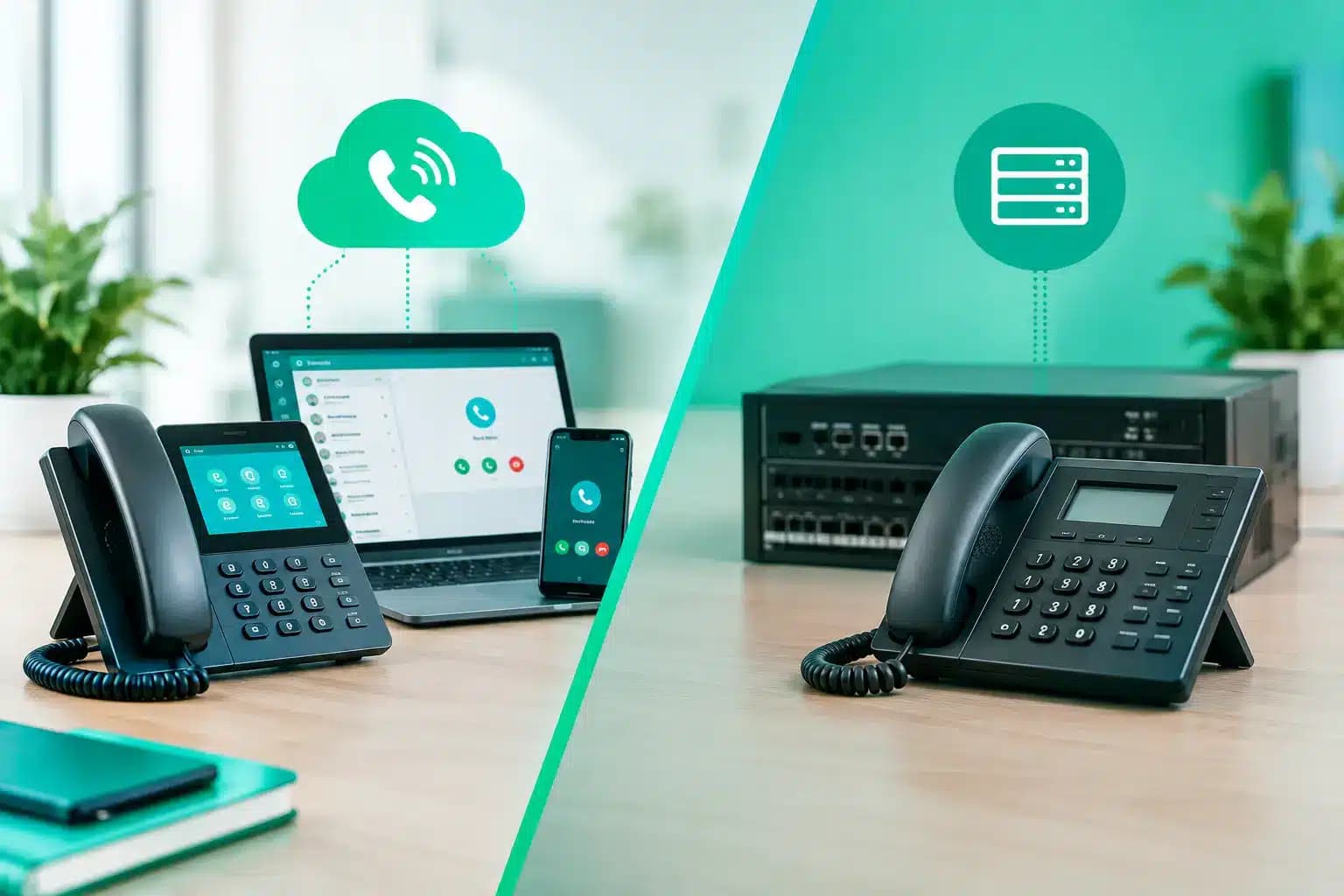
A traditional PBX is a box, or a group of servers, installed at your office or building. It manages extensions, call transfers, voicemail and incoming lines. Your business owns or leases the hardware and is responsible for keeping it working, either directly or through a telecoms provider.
Cloud VoIP puts that PBX functionality in the provider’s network instead. Staff make and receive calls through desk phones, mobile apps, computer softphones or a mix of all three. Add a colleague in Bristol, a salesperson working from home and a second location in Leeds, and they can all appear under the same business number and call menu.
Neither option is automatically better. A small firm with ten hybrid workers has very different needs from a hotel, care setting or large site with specialist equipment. But for most modern SMEs, cloud VoIP removes a lot of cost and faff without taking away the features they need.
How they compare where it counts
| Factor | Cloud VoIP | On-site PBX | |—|—|—| | Upfront cost | Usually low – phones and setup, with monthly licences | Higher – hardware, installation and configuration | | Ongoing management | Provider manages the core platform | Your team or maintainer manages the system | | Scaling | Add or remove users quickly | May require extra cards, licences or hardware | | Remote working | Built in through apps and internet-connected devices | Often needs additional configuration or remote access tools | | Resilience | Calls can be rerouted to mobiles or other sites | Depends heavily on power and equipment at the premises | | Control | Standard features with provider-led updates | Greater control over configurations and integrations |
Cost is normally the first difference businesses spot. A PBX can involve a substantial capital outlay, plus maintenance, replacement parts and specialist support. That can be perfectly reasonable if the system has a long planned lifespan and serves hundreds of fixed extensions.
VoIP tends to shift spending towards predictable monthly costs. It is easier on cash flow and easier to understand, provided the quote is honest about licences, call bundles, number porting, handsets and any setup fees. Cheap-looking per-user pricing has a habit of becoming less cheap once the extras arrive. Ask for the full monthly total, not just the headline figure.
Flexibility is where VoIP pulls ahead
For a business that changes shape, VoIP is difficult to beat. Need another extension for a new starter? Add it. Moving office? Take the phones, connect them to your broadband and carry on. Want calls answered by a remote team during a busy period? They can use an app with their business caller ID rather than handing out personal mobile numbers.
Features that used to feel enterprise-only are now routine: auto-attendants, ring groups, call queues, voicemail-to-email, time-based routing and call recording where appropriate. A customer calls one main number, gets sent to the right person, and nobody has to play telephone tennis.
That does not mean every business should abandon desk phones. Physical handsets are still useful for reception teams, busy sales floors and anyone taking calls all day. VoIP simply gives you the choice to combine them with laptops and mobiles instead of treating the office phone as the only option.
Call quality depends on your connection, not wishful thinking
The old criticism of internet calling was fair when business broadband was slow, congested and unreliable. Modern full fibre makes VoIP a much stronger proposition, particularly where upload speed is as capable as download speed. Calls do not need huge amounts of bandwidth, but they do need consistency.
What affects quality most is latency, jitter and packet loss. In plain English: delays, uneven delivery of voice data and missing bits of it. If your connection is struggling because large uploads, cloud backups and video calls are all fighting for capacity, a customer may hear choppy audio even though a speed test looks impressive.
A sensible setup gives voice traffic priority through quality of service settings, uses wired connections for fixed phones where possible, and avoids relying on flaky Wi-Fi for a busy reception desk. Businesses with critical calling requirements may also want a separate connection, suitable router configuration or a leased line.
Power is the other consideration. Traditional analogue phones could often keep working during a local power cut. VoIP equipment needs power for the router, network and phones. A battery backup, mobile call-forwarding plan and clear outage procedure are not glamorous, but they are far more useful than discovering the problem during an emergency.
When an on-site PBX still earns its place
Cloud services are not a magic answer to every phone requirement. An on-site PBX can remain the right call when a business needs deep control over its system, has complex on-premises integrations, operates in a location with poor connectivity, or already has a well-supported platform that does the job.
Some organisations also have specialist devices, legacy door entry systems, alarm connections, lift lines or fax equipment that need a careful migration plan. Do not assume every analogue device will work happily through a basic VoIP adapter. Audit what is connected before switching anything off.
There is also a middle ground: an IP PBX. This is still a PBX hosted on your premises, but it uses internet protocol for calls and can connect to SIP trunks rather than old-style telephone lines. It can offer modern calling while keeping more control in-house. The trade-off is that someone still has to maintain it.
Questions to ask before choosing
Start with the way people actually work, rather than buying the biggest feature list. How many people need a direct number? How many take calls at once? Are they always at one site, frequently on the road, or split between home and office? Do customers need a menu, queue or out-of-hours message?
Then look at the connection beneath the service. Check real-world reliability, upload capacity and internal network setup. If your broadband is the lifeline for calls, card payments, cloud systems and video meetings, it deserves more attention than a vague promise of “fast Wi-Fi”.
Finally, be clear on support. When calls stop working at 9am on a Monday, you want a named route to a human who understands the service, not a maze of scripts and hold music. Giant’s approach to business connectivity is built around that point: straightforward pricing, responsive UK support and services that can grow without turning into a procurement project.
The right system is the one that removes friction
Choose cloud VoIP if you want flexible working, simple expansion and modern call handling without owning a cupboard full of phone hardware. Choose an on-site PBX when your operation genuinely needs local control, specialist integration or has a strong reason to keep the system on premises.
Either way, do not let an old contract or a confusing sales pitch make the decision for you. Map your calls, test your connection and insist on clear costs. A business phone system should help customers reach you – not become another customer-service problem of your own.