A missed call from a customer is annoying. A missed call because your old phone system is tied to one desk, one ageing box and one person who knows the password is entirely avoidable. Learning how to set up business VoIP gives your team the freedom to take and make business calls wherever they are – without making your phone system a full-time IT project.
VoIP stands for Voice over Internet Protocol. In plain English, your calls travel over your internet connection rather than traditional phone lines. That can mean desk phones in the office, an app on a mobile, calls through a laptop headset, or all three. The clever bit is not the acronym. It is building a setup that still sounds clear when the office is busy and does not collapse the moment someone works from home.
Start with the calls your business actually needs
Before choosing a provider or ordering shiny new handsets, map out what happens when someone rings your business. A two-person consultancy needs something very different from a ten-site retailer or a property manager handling maintenance calls.
Think about where calls should go during opening hours, after hours and when nobody answers. Decide who needs an individual direct number, who can share a main number, and whether callers need options such as “press 1 for sales”. Also consider call recording, voicemail sent to email, call queues, reporting and the ability to transfer calls between colleagues.
Do not pay for an enterprise switchboard because it sounds impressive if your team will use three basic features. Equally, do not choose the cheapest single-user plan if you need a queue, hunt groups and a receptionist view next month. Good VoIP is scalable, but changing a poorly thought-out call flow during a busy launch is a headache nobody ordered.
Choose numbers before you build the menu
Most businesses keep their existing geographic number when moving to VoIP. This is called number porting. It protects the number on your website, signage, invoices and every customer’s saved contact list.
Ask early what information is needed to port it, how long the process takes, whether there are charges, and whether the old service must remain active until the port completes. Cancelling the existing line too soon is a classic own-goal. You can usually use temporary numbers while waiting, but tell customers only if they genuinely need to call before the transfer date.
A local number can suit a business serving one area. A 03 number can make sense for a national operation because it is not tied to a location and callers pay standard rates. The right choice depends on how customers see you, not what looks clever in a spreadsheet.
Check your broadband before setting up business VoIP
VoIP does not need huge amounts of bandwidth. A typical high-quality call may use around 100 kbps in each direction, so even a modest connection can handle several calls. The bigger issue is consistency.
Calls dislike jitter, packet loss and high latency. If your connection is already struggling with video calls, cloud backups and a room full of people uploading files, adding ten simultaneous voice calls will not improve the mood. Full fibre with strong upload capacity is a far better foundation, especially for businesses using cloud software and remote teams.
Test the connection at the times your business is busiest, not just at 9pm when the office is empty. Look at upload and download speed, latency and packet loss. If possible, set up quality of service, often shortened to QoS, on your router or firewall. This prioritises voice traffic over less time-sensitive activity, such as a giant software download.
For smaller teams, a well-managed business broadband connection is often enough. Larger offices, contact-heavy teams and multi-site operations may benefit from a dedicated connection, managed router or separate network for voice. It depends on call volume, how costly poor calls would be, and what else is competing for bandwidth.
Pick the kit that fits how people work
You do not have to fill the office with desk phones to run a professional VoIP system. You do need a deliberate choice of endpoints.
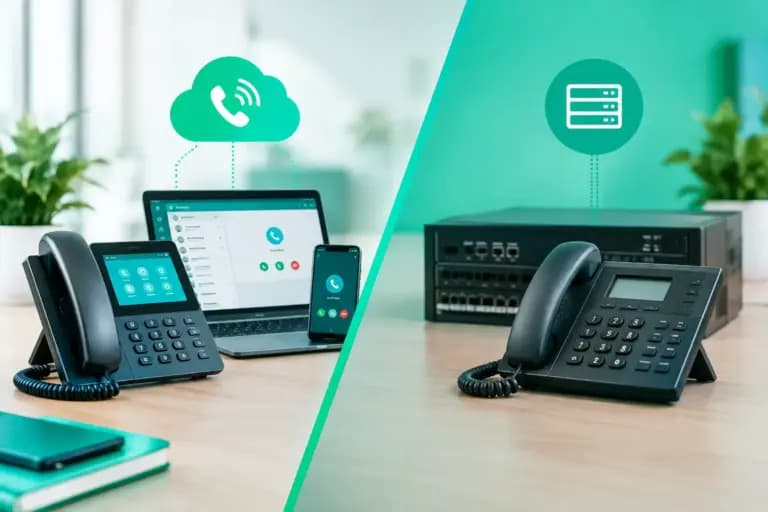
Desk phones work well for reception teams, sales staff and anyone who spends most of the day at a fixed workstation. Choose models that support the service you are buying and, ideally, Power over Ethernet. PoE lets the network cable provide power, reducing plug clutter and making installation tidier.
Softphones are apps for mobiles and computers. They suit hybrid workers, field teams and businesses that want staff to use the same business number wherever they work. Pair them with a decent USB or Bluetooth headset. Built-in laptop microphones are fine for an occasional catch-up, but they are not the best look when a customer can hear every keyboard tap and kettle boil.
Many businesses use both. A reception desk may need a physical phone with expansion keys for colleagues, while account managers use an app on their mobiles. Give each role the tools it needs rather than forcing one setup on everyone.
Configure the essentials, then keep the call flow simple
Your VoIP provider will normally offer an online admin portal. This is where you create users, assign numbers, set business hours and control call routing. Start with the basics: your main number, user extensions, voicemail greetings and ring groups.
A sensible call flow might send callers to reception first, then ring the relevant team, then go to voicemail after a defined period. If the business is closed, play an accurate message with opening times or emergency instructions where appropriate. Avoid a sprawling phone menu unless callers truly need it. Nobody has ever thought, “I wish this had six more options.”
Record greetings in a quiet room using a clear, natural voice. Keep them current. A Christmas closure message still playing in February makes a business look unattended, even if the team is working flat out.
Set caller ID carefully, particularly for outbound calls. Staff should present the main business number or their direct number, not a random number that customers cannot call back. Check this from a mobile outside your system before launch.
Set emergency details and plan for a power cut
Every VoIP setup needs an accurate registered address for emergency calling. If someone dials 999, emergency services need to know where the call originates. This becomes especially important when phones can be moved between sites or used remotely. Keep those address records up to date.
Remember that VoIP depends on power and connectivity. A traditional-looking desk phone is not automatically useful in a power cut if the router, switch and internet connection are off. Decide whether your risk level warrants a battery backup, mobile failover or a diversion plan to mobiles. For a shop, care setting or business handling urgent calls, this is not a detail to leave for later.
Test the setup like a customer would
Do not make launch day the first time anyone tries the system. Test inbound and outbound calls from different networks, including mobiles. Check transfers, call forwarding, voicemail, hold music, conference calls and after-hours routing. Make a test call while someone is uploading a large file and see whether call quality holds up.
Ask a few people to try the service from home, on office Wi-Fi and on mobile data. Remote working introduces variables you cannot control, including questionable home routers and Wi-Fi signals blocked by thick walls. A wired connection or strong Wi-Fi point can solve many supposed VoIP problems.
Give staff a short, practical briefing. They need to know how to answer, transfer, park and retrieve a call, change their availability, and report an issue. They do not need a 40-page manual they will never open. A one-page cheat sheet plus a real practice call is usually more useful.
Keep security and costs under control
Use unique, strong passwords for the admin portal and turn on multi-factor authentication where available. Restrict who can add users, change call routing or make international calling changes. Fraudsters target phone systems because expensive calls can add up quickly, so set permissions and alerts for unusual activity.
When comparing quotes, look beyond the per-user headline price. Check whether handsets, setup, number porting, call recording, international calls, support and contract changes are included. Also ask whether prices can rise mid-contract. Telecom small print has form here.
A good provider should explain what is included in plain English and answer when something goes wrong. Giant’s UK-based team can help businesses pair business VoIP with the connectivity underneath it, because crisp calling starts with a connection that is not wheezing under pressure.
Your first VoIP setup does not need to be flashy. It needs to make it easy for customers to reach the right person, easy for staff to work from wherever they need to be, and easy for someone sensible to manage when plans change. Get those three things right and the phones can finally stop being the bit of the business everyone avoids touching.