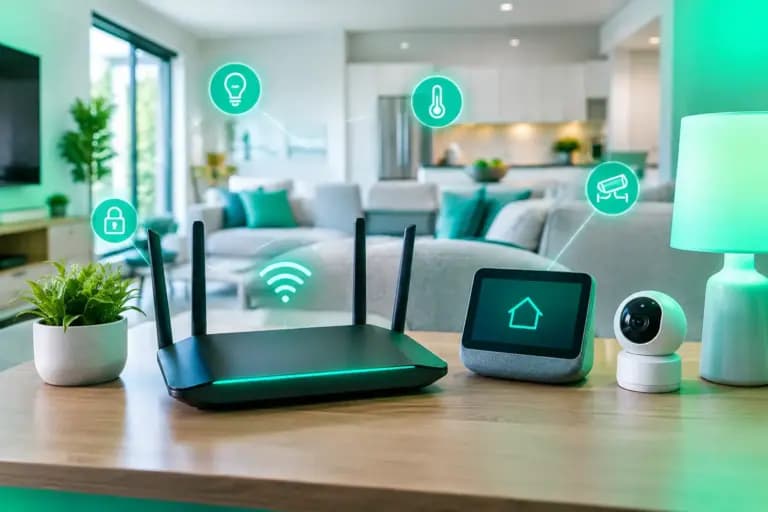
A 30 Mbps package can look perfectly respectable until someone starts a video call, the kids put on 4K telly, a console begins a 90 GB update and every smart device in the house decides it needs attention. The best internet for multiple devices is not just about buying the biggest headline speed. It is about giving your household enough capacity, decent Wi-Fi coverage and upload performance so nobody has to ask, “Who’s rinsing the internet?”
For busy homes, full fibre is usually the sensible starting point. It is built for modern demand rather than a time when one family PC and a landline were the whole setup. But the right package still depends on what your devices are actually doing.
How much speed do multiple devices need?
Device count matters, but activity matters more. Ten phones quietly checking messages will barely trouble a connection. Two people gaming online, another on a work video call, a 4K stream in the lounge and cloud backups running in the background are a different story.
As a practical rule, 100 Mbps can suit a smaller household with ordinary browsing, HD streaming and occasional home working. It gives everyone a fair bit of breathing room, but it can start to feel tight when several people stream in 4K, download large games or work from home at once.
For many households, 300 to 500 Mbps is the sweet spot. This is where multiple 4K streams, video calls, gaming and everyday downloads can run together without every busy evening becoming an argument about the Wi-Fi. It also means a large game or software update is less likely to monopolise the line for hours.
A gigabit connection, around 900 Mbps or 1 Gbps, is worth considering for larger homes, serious gamers, heavy downloaders and families with several remote workers or students. It is not a magic wand – poor Wi-Fi can still spoil the experience – but it gives the household serious headroom.
Speeds above 1 Gbps make most sense where demand is properly heavy: large families, home studios moving sizeable files, content creators, multi-occupancy properties or people who simply do not want to think about bandwidth again for a while. If available at your address, symmetric full fibre can provide upload speeds that match download speeds, with packages reaching up to 8 Gbps on selected networks. That is properly quick, not just quick on a billboard.
Best internet for multiple devices: speed is only half the job
A fast broadband line reaches your router. Your devices rely on Wi-Fi to get the benefit. If the router is hidden in a cupboard, wedged behind the telly or placed at one end of a thick-walled Victorian house, even an excellent fibre package can feel underwhelming upstairs.
Start with router placement. Put it in an open, central position where possible, off the floor and away from large metal objects, cordless phone bases and kitchen appliances. The aim is not interior design glory. It is to give the signal a fighting chance.
For larger homes, awkward layouts, extensions, loft rooms or garden offices, a mesh Wi-Fi system is often a better answer than repeatedly rebooting the router and hoping for a miracle. Mesh units spread coverage through the home using several access points, helping devices stay connected as people move around. A basic extender can help with one weak spot, but mesh tends to be the cleaner solution when several rooms struggle.
Wired Ethernet still wins for devices that need the most stable connection. Connect a gaming console, desktop PC, work dock or main TV by cable where practical. This reduces Wi-Fi congestion and can improve latency for online games and calls. No amount of clever marketing changes the fact that a cable is hard to beat.
Do not confuse broadband speed with Wi-Fi speed
If a speed test beside the router looks excellent but your bedroom connection crawls, the broadband line is probably not the problem. Test in several rooms and on more than one device. Older phones, laptops and budget smart TVs may also have slower Wi-Fi hardware, so they cannot necessarily use every megabit your package supplies.
Upload speed matters more than most providers admit
Download speed gets the big type. Upload speed is what keeps a busy, modern household from getting bogged down when people are sending as well as receiving.
Video calls use upload. So do cloud backups, posting videos, uploading work files, security cameras and livestreaming. On older broadband technologies, upload can be a tiny fraction of download. That may be fine for light use, but it creates a bottleneck when several people work or study from home.
Full fibre is particularly useful because many services offer far stronger upload performance, and some provide symmetric speeds. If one person is backing up photos while another is presenting on Teams and someone else is gaming, that extra upload capacity is not a luxury. It is the difference between getting on with it and hearing, “Can everyone get off the internet for ten minutes?”
Latency matters for gaming and calls
Speed tells you how much data the connection can carry. Latency tells you how quickly data makes the round trip. Lower latency usually means more responsive online gaming, clearer video calls and less delay when using cloud-based applications.
Fibre connections typically offer lower, more consistent latency than older copper-based services. However, your home setup still plays a part. A congested Wi-Fi network, a weak signal or downloads running unchecked can add lag even on a fast connection.
If gaming is a priority, use Ethernet where you can. If Wi-Fi is unavoidable, play near a strong mesh node or router, use the 5 GHz or 6 GHz band where supported, and pause major downloads during competitive matches. Yes, your ping can suffer because someone chose that exact moment to download three series of a crime drama.
Choose a package for peak time, not quiet time
The wrong way to buy broadband is to think about a typical Tuesday morning when the house is empty. Buy for the hour when everyone is home, hungry, tired and online.
A useful check is to count the high-demand activities likely to happen at once. A household with two 4K streams, two video calls and an online gamer needs considerably more capacity than a couple who browse, watch one HD programme and use smart speakers. You do not need to add up every device’s theoretical maximum speed, but you should allow room for simultaneous use and background updates.
Also check what kind of connection is available at your address. The word “fibre” gets used rather freely. Full fibre means fibre runs all the way to your property, rather than stopping at a street cabinet and relying on older copper for the final stretch. That distinction affects available speeds, reliability and upload capability.
Watch the contract, not just the introductory price
A cheap monthly figure is only useful if it remains honest. Check the contract length, installation charges, router fees, cancellation terms and whether the provider can apply annual inflation-linked rises. Plenty of household budgets have been ambushed by a low starting price followed by CPI plus an extra percentage tucked into the small print.
It is also worth checking whether support is easy to reach when something goes wrong. Broadband is brilliant when it works and deeply annoying when it does not. A provider that answers the phone with a UK-based human rather than sending you through an endless maze has real value, especially if you work from home.
Giant offers full fibre across multiple UK networks, so availability and speed options can vary by address. That multi-network approach is useful because the best service is the one you can actually get at your home, at a clear price, with support that does not vanish when you need it.
A better connected home starts with an honest fit
There is no prize for paying for 8 Gbps if your household mostly scrolls, streams one programme and checks emails. Equally, a bargain package is not a bargain if it turns every evening into buffering, lag and dropped calls. Choose the speed for your busiest hour, pair it with Wi-Fi that reaches every room, and give uploads the attention they deserve. Then the internet can quietly do its job – which is exactly what it should do.