The best broadband for shared houses is rarely the cheapest deal with the biggest number printed on the advert. It is the connection that still works when someone is presenting to a client, two people are streaming, another is gaming online, and the kitchen smart speaker decides it needs an update. Shared-house Wi-Fi gets tested properly. Choose badly and the group chat becomes a customer-service queue.
Broadband is also one of those bills that can turn a friendly house share into a minor diplomatic incident. The answer is not simply buying the fastest package available. It is matching the connection, router, contract and payment setup to the people actually living there.
Best broadband for shared houses starts with usage
Start with the number of people, not the number of bedrooms. A four-bed house with three tenants who mainly scroll, stream and work in the office has very different needs from four gamers, remote workers or students watching separate 4K streams all evening.
Download speed is what most people recognise. It affects how quickly files arrive, how reliably video streams play and whether a game update eats the whole evening. Upload speed matters just as much in a busy share, particularly where people use video calls, send large files, back up photos or create content.
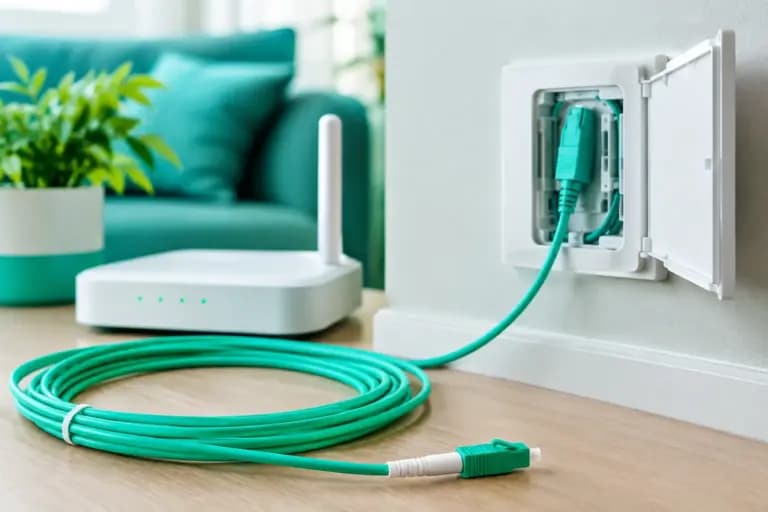
Full fibre is the sensible first choice where it is available. Unlike older copper-based services, full fibre runs fibre optic cable all the way to the property. It usually delivers more consistent performance and can offer strong upload speeds, including symmetrical packages where upload and download speeds match. That is a very good thing when several people are trying to work from home without talking over each other on Teams.
Here is a practical guide to the speed range worth considering:
| House share setup | Sensible starting speed | Why it works | | — | —: | — | | 2-3 light users | 100-150 Mbps | Covers streaming, browsing and occasional home working comfortably. | | 3-4 regular streamers or remote workers | 300-500 Mbps | Gives the household more breathing room at busy times. | | 4-6 heavy users, gamers or content creators | 500 Mbps-1 Gbps | Better for multiple 4K streams, large downloads and busy upload use. | | Large shared property or serious power users | 1 Gbps+ | Useful where demand is high all day, not just at tea time. |
These are sensible starting points, not a trophy table. A six-person house that only uses Wi-Fi for messaging does not need 1 Gbps for bragging rights. Equally, a 150 Mbps connection can feel painfully small if three housemates are gaming, uploading work and streaming at once.
Speed is only half the story
A fast broadband line can still feel rubbish if the Wi-Fi cannot reach the top-floor bedroom. In shared houses, the router is often shoved beside the master socket, behind a television, in a cupboard or near a microwave. Then everyone wonders why their connection dies halfway up the stairs.
Put the router as centrally and openly as possible. It should be raised up, away from thick walls, metal objects and other electronics. If the property is tall, long or built with particularly solid internal walls, one standard router may not cut it.
A mesh Wi-Fi system uses several units around the property to extend coverage more intelligently than a basic range extender. It is particularly useful for Victorian terraces, converted houses and larger HMOs, where signal has to travel through several walls and floors. It costs more, but it can be the difference between paying for gigabit broadband and actually receiving usable Wi-Fi in every room.
For a desk-based gamer or remote worker, a wired Ethernet connection is still the sensible option where practical. Wi-Fi is convenient. Ethernet is usually more stable, lower latency and less likely to have a tantrum when the rest of the household gets online.
Do not confuse Wi-Fi bars with broadband quality
Poor Wi-Fi and a poor broadband service can look identical from a bedroom. Before changing provider, test the connection beside the router using a wired device if possible. If speeds are good there but awful elsewhere, the line is not necessarily the villain. The home network needs attention.
That distinction can save a house share from paying for a faster package that changes absolutely nothing upstairs.
Pick a contract that survives house-share life
Tenancies end. People move for jobs. Couples move in. Someone leaves without replacing their share of the bills. A 24-month broadband contract may offer a lower headline price, but it can be a poor fit for a household tied to a 12-month tenancy.
Check the contract term before anyone clicks buy. Also check who owns the account, what happens if that person moves out, whether there are early exit fees and whether the provider charges for setup, delivery or non-returned equipment. These are not thrilling details, admittedly. They are much more thrilling than an unexpected bill with one day left before move-out.
Price rises deserve the same scrutiny. Some providers build annual increases into their terms using inflation measures plus an extra percentage. That can make a deal advertised as cheap rather less charming by year two. Look for clear monthly pricing and terms that say plainly what can change and when.
For renters, a provider that handles switching clearly is worth more than a glossy sign-up offer. Ask whether an engineer visit is needed, whether the landlord needs to approve installation, and how long the activation is expected to take. Do this before the old service ends, not when everyone is trying to hotspot their laptop from a phone.
Make the bill fair before the first payment
The person whose name is on the account should not become the house broadband bank. Set up a standing order from each housemate, or use a shared bills pot, and agree the split in writing in the group chat. Keep it simple: divide the monthly charge equally unless there is a genuine reason not to.
The account holder should retain access to the provider account, but everyone should know the package speed, contract end date and what the monthly cost includes. Transparency prevents the familiar argument where one person says, quite reasonably, that they thought the bill was already paid.
It is also worth agreeing basic network etiquette. You do not need a household constitution, but a little common sense helps. Schedule huge game downloads overnight where possible, avoid placing the router in a private bedroom, and do not share the Wi-Fi password with every visitor who has ever attended pre-drinks.
Look beyond the headline deal
When comparing providers, check the technology available at the address first. A tempting package is irrelevant if it is not available to order. Then compare the typical speed, upload speed, router included, contract length, upfront charges, price-rise policy and support options.
Customer support matters more in a shared property than people expect. If the service drops during exam week or before a work deadline, nobody wants to navigate a maze of scripts and hold music. UK-based support with people who can explain what is happening in plain English is not a luxury when six people are staring at a flashing router.
Giant is one option for households that want full fibre where available, straightforward pricing and a human answer when something needs sorting. But the right provider still depends on network availability at your exact address, the package terms and how demanding your household really is.
A quick pre-sign-up check
Before placing the order, get the future housemates to answer three questions: how many people will live there, how many regularly work or study from home, and whether anyone games competitively or uploads large files. Those answers will tell you far more than a provider’s splashy speed badge.
Then check Wi-Fi coverage plans for the property, agree who will hold the account and choose a contract that does not punish the household for moving on. Broadband should be the quiet, reliable housemate – paid on time, useful every day, and never the reason someone sends a passive-aggressive message at 11.47pm.